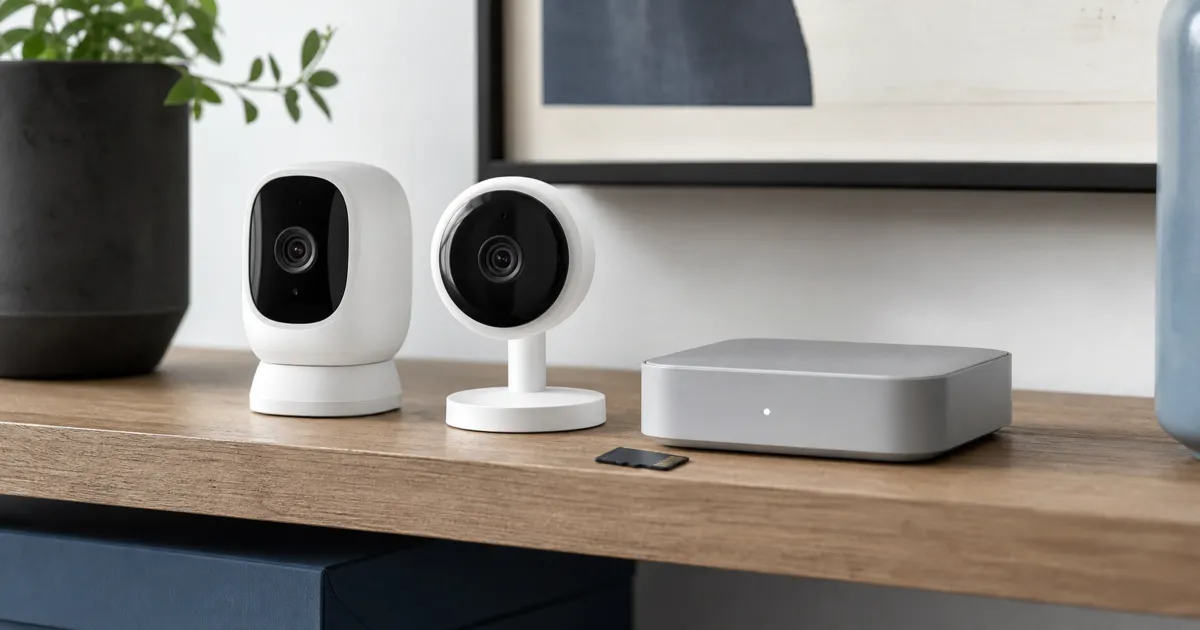
The best local-storage security camera setup is the one whose recording location, retention, account requirement, and export path you can explain before mounting it. A microSD camera keeps footage at the camera; a hub separates storage from the camera and adds compatibility work. Neither design alone makes a system private or secure.
Start with where the video actually lives
“Local storage” can mean a card inside the camera, a card inside a hub, or a local recorder on the same network. These are meaningfully different after a camera is unplugged, stolen, reset, or replaced. Write down the storage location, the card or drive capacity, the retention mode, and the steps required to export a clip. If any answer is vague, the system is not yet a finished privacy plan.
Tapo documents the C120’s on-camera microSD slot for cards up to 512 GB and separately describes Tapo Care cloud service. That is a clear one-camera design: video can live on the card, while cloud features are a distinct choice. It also has a built-in microphone and speaker, so the privacy record must include audio as well as video. Do not assume a camera is silent because the shopping page focuses on resolution.
Choose a hub when storage should not sit at the lens
Reolink’s Home Hub is a different architecture. The maker documents local storage for up to two 1 TB microSD cards, a local-LAN mode, and support limits for connected cameras. That can be a better route when several compatible cameras need one place for recordings, or when a card inside each camera would be too easy to remove with the camera.
Compatibility is the catch. Reolink says the Hub does not support every camera class. Check the current camera list, the exact hub generation, and whether the selected camera records to the hub in the mode you expect before buying a kit. A hub can still need an app or an account for setup and remote viewing; local recording does not automatically mean every feature works without the internet.
Build a privacy record before installation
For each camera, answer these questions in writing:
- Is the microphone enabled, and can it be disabled at the camera?
- Where do clips remain after the retention window ends, and who can export them?
- Which features need an account, an app permission, an internet connection, or a subscription?
- What happens to stored video when the camera is reset, transferred, or replaced?
- Where does the maker publish firmware and security advisories?
That record is more useful than a generic “no subscription” label. A camera can record locally while still offering optional cloud history, richer notifications, or remote access through a vendor service. Select only the features you can accept, then periodically revisit the settings after app or firmware updates.
Retention is a capacity-and-motion decision
Do not treat a card-size claim as a promised number of days. Retention changes with resolution, frame rate, continuous versus event recording, motion in the scene, and the system’s encoding choices. A busy front walkway can use space very differently from a quiet indoor shelf. Start with a short retention target, format the approved card through the camera if the manual directs it, and inspect the oldest recoverable clip after the system has run normally.
Export matters just as much. Practice saving one ordinary clip to a computer, confirm its timestamp and playback, and make sure another household member can perform the same task. This is a maintenance exercise, not a guarantee that every future incident will be captured.
The network still needs attention
Local recording does not remove network risk. Change default credentials where the product supports it, use a unique account password, enable multi-factor authentication when offered, and install vendor updates deliberately. Avoid exposing camera administration directly to the public internet. If you use remote viewing, verify what account and connection it uses rather than assuming a local hub isolates every service.
Place cameras where people reasonably expect them. Do not point them into neighbors’ private areas or use them for covert monitoring. A visible, limited system with a documented retention rule is easier to manage than a broad system nobody reviews.
Plan for an outage, a stolen camera, and a full card
Before installation, run three short scenario checks. First, disconnect the internet while leaving the local network running. Observe whether the camera continues recording, whether a local live view still works, and what the app says when remote features are unavailable. Second, remove power from a camera after it has recorded an ordinary test clip. Confirm whether the clip remains available at the card or hub, and whether the system reports the camera as offline. Third, allow the system to reach its expected retention cycle and inspect what gets overwritten first.
These checks are more useful than a broad promise of “offline recording.” A camera may keep a local video file but lose notifications; a hub may retain footage while a phone app cannot reach it from outside the house. Note the observed behavior, the firmware version, and the date. Repeat after a major app update, router replacement, or storage-card change.
For microSD designs, use a card type and capacity the manufacturer explicitly supports. Consumer flash storage is a consumable part of a continuously recording system, so check camera notifications, playback history, and card-health guidance rather than assuming a card will fail visibly. For a hub, identify the physical location of the hub, its power supply, and the steps to recover recordings if the router is replaced. Put neither device where a routine visitor can easily unplug it.
Make a retention rule that another person can follow
Pick a narrow purpose for each camera: entrance awareness, package verification, a pet area, or a limited indoor safety concern. Then set a retention period appropriate to that purpose and local expectations. Longer retention is not automatically better; it creates more material to protect and review. If a clip needs to be kept, export it through the documented path and record why it was retained rather than relying on a long rolling archive.
Review the account list as part of the setup. Remove former household members, avoid sharing a single password, and decide whether guests need live viewing at all. If the vendor offers alert zones or activity exclusions, use them to reduce unnecessary recording and notifications. This improves both privacy and the chance that a real event is noticeable.
Finally, keep a small handoff note with the camera names, storage locations, account-recovery path, firmware-check location, and export instructions. Local storage gives the household more control only when someone can operate that control under stress. It cannot settle legal or tenancy rules, so check relevant building, workplace, and local requirements before placing cameras in shared or sensitive areas.
Budget for the parts around the camera
The camera price is only a starting point. Add the approved storage card or cards, a stable power location, a mount suitable for the surface, and any network coverage improvement needed for reliable recording. A low-cost camera mounted where Wi-Fi repeatedly drops can create a false sense of coverage. Run a live-view and recording check from the planned location before hiding cables or drilling permanent holes.
Keep the purchase record and model number with the setup note. That makes it easier to check support notices, buy a compatible replacement, or identify a card specification months later. Avoid mixing unknown cards and cables into a critical setup merely because they fit physically. Compatibility and documented behavior are more useful than a large capacity claim on an unverified accessory.
For a multi-camera hub, estimate retention with a small staged rollout. Start with one or two cameras, observe the actual storage use and playback reliability, then add coverage only where it serves the chosen purpose. This avoids turning a vague desire for more video into an unmanaged system with unclear retention and no tested export process.
If the system records sound, include audio in the staged review. Confirm that audio is needed for the stated purpose and that household members understand the setting before leaving it enabled.
Related reading
Browse the Tech Science Review guide library for related setup and buying guidance.
Frequently Asked Questions
Does local storage mean a camera works without the internet?
Not necessarily. Recording, alerts, live viewing, setup, and remote access can have different network requirements. Check the manual for the exact camera and run a controlled local-network test before relying on an outage behavior.
Is a hub safer than a microSD card in the camera?
A hub moves storage away from the camera, which can help if a camera is removed. It does not eliminate account, network, firmware, or physical-access risks. Use a hub because its storage and management design fits the home, not as an absolute-security claim.
Sources
- Tapo C120: https://www.tapo.com/us/product/smart-camera/tapo-c120/
- Reolink Home Hub: https://reolink.com/us/product/reolink-home-hub/
- Reolink Home Hub with Argus 4 Pro: https://reolink.com/us/product/argus-4-pro-kit/?attribute_pa_version=home-hub-2-cam-black-no-sdcard