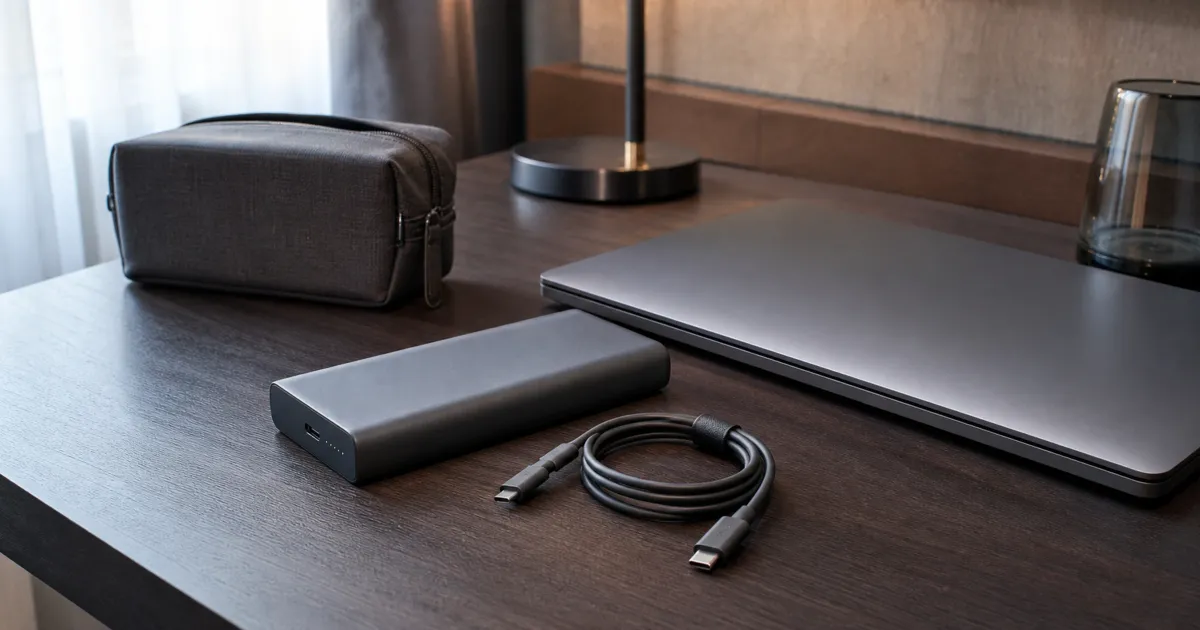
The best power bank for laptop charging has a printed Wh rating within your airline’s rule, a USB-C Power Delivery profile your exact laptop accepts, and a cable rated for that power. A large mAh number is not enough. Treat a bank as emergency power until you test it with the real laptop and workload.
Match watts, volts, and cable before capacity
USB-C is the connector; USB Power Delivery is the negotiated charging path. A bank’s maximum output is a ceiling, not a promise that every laptop will receive that amount. The laptop, power bank, cable, current battery level, and other connected devices all influence the negotiated result. A 100 W laptop may charge slowly, hold steady, or keep discharging under load if it negotiates less power than the workload requires.
Start with the original laptop adapter or the laptop maker’s documented USB-C requirement. Then compare it with the bank’s single-port USB-C profile, not only its total output headline. Finally, use an e-marked cable rated for the planned wattage. A cable supplied for a phone can be the limiting component even when the bank and laptop support a higher profile.
Anker 737: a documented high-output reference
Anker lists the PowerCore 24K/737 model A1289 at 24,000 mAh with two USB-C ports, one USB-A port, and a 140 W maximum total output. Its specification includes USB-C profiles through 28 V at 5 A. Those numbers make it a useful documented candidate for a laptop that accepts the matching PD profile through an appropriate cable.
They are not a runtime claim. The mAh capacity is measured at the cells’ nominal voltage, while the laptop receives regulated USB-C power. Conversion losses, a bright display, processor load, and an already-charging phone can materially change the result. Test a bank while working from a known battery percentage, then note whether the laptop reports charging, slow charging, or a lower-power source.
Keep alternative models inside an exact-SKU check
A UGREEN 25,000 mAh 145 W bank is a plausible comparison point only after its exact regional model, printed Wh label, USB-C profile, cable requirement, and safety documentation are confirmed. Manufacturers can use similar names for different capacities or bundles. A search result is not enough to establish which revision is being sold.
Do not choose an alternate bank because its advertised wattage is larger. A bank that offers the right profile through one port can be more useful than a higher total-output model that divides power differently when two devices are connected. Read the single-port and multi-port tables, then test the precise port marked for laptop output.
Carry-on rules use Wh, not marketing capacity
The FAA treats power banks as spare lithium batteries. Its current passenger guidance says they are carry-on only, permits 0–100 Wh batteries, requires carrier approval for 101–160 Wh spare batteries, and notes that airlines may impose stricter rules. Read the Wh label on the actual unit and the airline’s current policy before traveling. Do not put a power bank in checked luggage, including a carry-on bag that is gate-checked.
Wh is not reliably established by a product name. If a label omits Wh, the FAA explains the basic conversion: volts multiplied by amp-hours. That calculation can help you interpret a label, but it does not override an airline’s policy or a recalled-product notice. A damaged, swollen, wet, or recalled bank should not travel.
Test the emergency setup at home
- Update the laptop and check its documented USB-C charging limit.
- Use the planned USB-C cable and the bank’s intended high-output port.
- Begin from a known laptop battery level and run a normal work task for 15 minutes.
- Check the operating system’s charging status and the bank’s remaining power indication.
- Repeat once with the phone connected if you expect to share the bank.
- Pack the bank in carry-on baggage with the terminals and cable protected from damage.
The goal is not to create a universal runtime number. It is to identify whether this exact laptop, cable, and bank form a dependable emergency kit.
Read the power table as a single-port decision
Manufacturers frequently headline a combined output figure. That number can describe all ports together rather than the USB-C port you plan to use for the laptop. Read the table for the exact port, then read the multi-port table if you will charge a phone, tablet, or another accessory at the same time. A bank may reduce the laptop port’s allocation when a second device is connected, even though the combined maximum remains high.
The laptop’s charging behavior is equally important. Some systems accept a lower-power source but warn that it is slow; others draw enough power under a video call, compile, or external-display load that the battery still declines. That result is not automatically a defect in the bank. It may mean the bank is appropriate for saving a document and traveling between outlets, but not for a full workday at maximum load. Define that intended job before comparing specifications.
Avoid assumptions about ports with the same connector. Use the port marked for high-output USB-C power, connect the cable directly for the first test, and remove adapters or docks that complicate negotiation. If the laptop requires a proprietary charger or does not accept USB-C charging, a USB-C power bank is not a substitute. The manufacturer documentation for the laptop is the controlling source for that question.
Pack and maintain the bank as a lithium-battery item
Inspect the enclosure, ports, and cable before travel. Stop using a bank that is swollen, unusually hot, leaking, physically damaged, or behaving erratically, and follow the maker’s disposal guidance rather than placing it in household trash. Check the maker’s recall or safety-notice page when buying or preparing a bank that has sat unused for a long time. A high capacity label is not a safety certification or a reason to ignore a damage warning.
Keep the label legible. Airline personnel may need to identify the Wh rating, and a worn sticker makes an otherwise routine travel decision harder. Pack the unit where it cannot be crushed, protect exposed cable ends, and do not leave it charging on bedding or in direct heat. Airline and airport policies can change and can be stricter than general FAA guidance, so read the policy for the carrier and itinerary rather than relying on a previous flight.
At home, recharge the bank on a nonflammable, attended surface according to its manual. Every few months, check whether it still accepts and delivers power normally. This is not a claim about lifespan; it is a practical way to discover a failing emergency tool before it is the only available source of laptop power.
Choose capacity for the job you can verify
Capacity is useful only after compatibility. A smaller bank that keeps the laptop stable while you finish a presentation may be more practical than a larger unit that is heavy, exceeds an airline policy, or cannot negotiate the laptop’s required profile. Decide whether the job is a short outage, one flight segment, or an all-day field kit, then test that job with the display brightness, applications, and accessories you actually use.
Avoid converting a cell-capacity headline directly into laptop runtime. The bank must regulate its stored energy to USB-C output, and the laptop’s draw varies substantially. If you need to compare two units, log the starting laptop percentage, bank indication, active workload, elapsed time, and final percentages under the same conditions. That creates a personal, repeatable comparison without promising that another laptop will see the same result.
Keep a wall charger in the plan. A bank that cannot be recharged promptly may be less useful on a multi-day trip than one with a clearly documented input path. Check the bank’s maximum input, the charger and cable you will pack, and whether charging it while powering other devices is permitted by the manual.
Label the dedicated cable if you carry several identical-looking USB-C cables. That simple practice reduces the chance of substituting a low-power cable during an urgent laptop charge.
Related reading
For wall power and multi-device desk charging, read our USB-C GaN charger guide. Browse the Tech Science Review guide library for related travel decisions.
For a desk setup that needs a hub or dock rather than stored power, see our USB-C hubs for Steam Deck guide.
Frequently Asked Questions
Will a 140 W power bank charge every USB-C laptop at 140 W?
No. The laptop must accept a matching USB-PD profile, the cable must support it, and the bank may divide power when another device is connected. Check the single-port profile and test your laptop before travel.
Can I pack a laptop power bank in checked baggage?
No. The FAA treats power banks as spare lithium batteries and requires them in carry-on baggage. Airline rules can be stricter, so check the carrier before each trip.
Sources
- Anker 737 Power Bank A1289: https://www.anker.com/us/products/a1289
- FAA airline passenger battery guidance: https://www.faa.gov/hazmat/packsafe/airline-passengers-and-batteries
- USB-IF Power Delivery: https://www.usb.org/usb-charger-pd