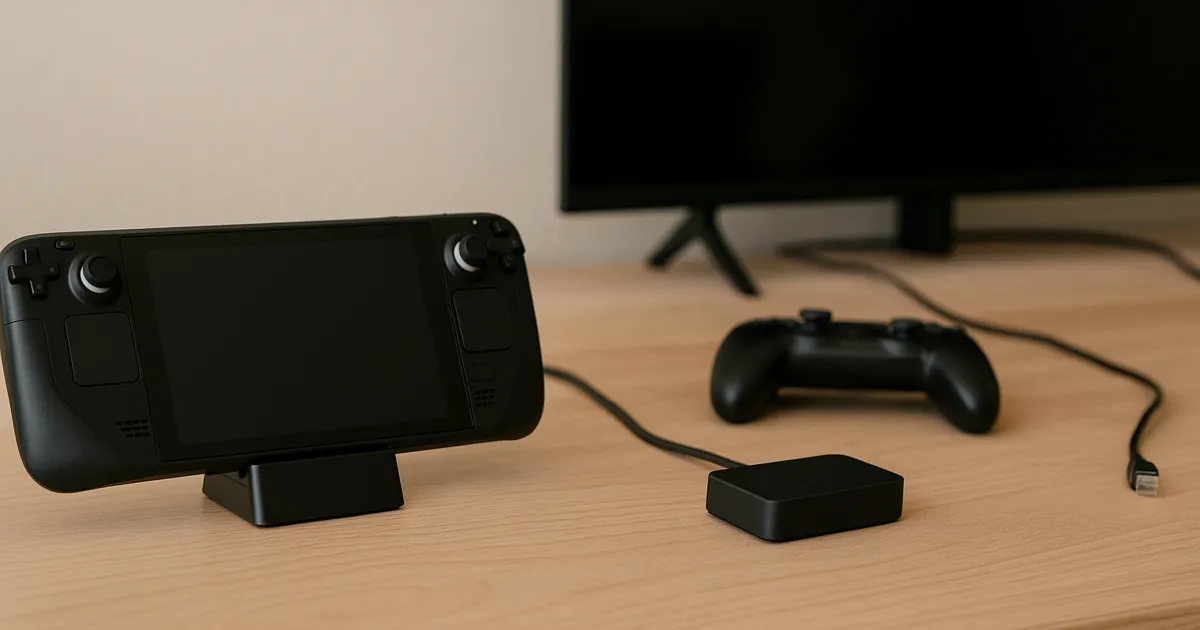
The best USB-C hub for a Steam Deck depends on the desk you are building. A dock-style option can make more sense when you want the handheld to sit in one place beside a display. A compact hub can be the more direct fit when you already have a stand and only need a smaller connection point. Neither format establishes charging speed, display mode, or universal compatibility on its own.
Read our review methodology. It explains how we use documented product details and selection criteria when comparing options like these.
Quick picks
Choose the JSAUX 5-in-1 Steam Deck Dock HB0602 when a dock-style resting place is part of the desk plan. Choose the Anker USB-C Hub 5-in-1 when you already have a stand and want the connection hardware separate from it. The supported product cards above summarize the same two options and keep the buyer path near the top.
Before ordering, check the current price on Amazon, the exact port list, the included cable or stand details, return terms, and the seller’s current compatibility notes.
Start with the setup, not the word “best”
Steam Deck hub listings often place a number of connection types beside one another: display output, USB peripherals, Ethernet, and USB-C Power Delivery passthrough. The useful comparison is not the largest port count. It is whether the documented port layout matches the cable path you will actually use.
Write down the display input, wired-network need, USB accessories, power adapter, and whether the handheld needs a resting place. Then read the manufacturer and retailer documentation for the exact model. A USB-C connector or a dock-shaped enclosure does not by itself promise a particular display result, charging behavior, gaming outcome, thermal result, or fit with every accessory.
For a workstation with two monitors, use our USB-C dock guide for dual-monitor home offices instead; that is a different host-and-display problem.
JSAUX 5-in-1 Steam Deck Dock HB0602: best for a dock-style desk layout
The JSAUX HB0602 is the dock-style option in this comparison. Its named five-in-one format makes it a sensible starting point when you want the handheld and hub arrangement to occupy the same desk position rather than adding a separate stand.
Choose it only after the current listing documents the particular display, network, USB, and power-passthrough connections your setup needs. If you are comparing it with a general laptop dock, keep the comparison narrow: a Steam Deck desk may need a different physical layout even when the connector names look familiar.
Check the JSAUX 5-in-1 Steam Deck Dock HB0602 on Amazon.
Anker USB-C Hub 5-in-1: best for an existing stand or smaller kit
The Anker USB-C Hub 5-in-1 is the compact alternative. It is the more natural starting point when you already have a stand, do not want a dock-shaped resting place, or want the connection hardware to stay separate from the handheld’s position.
That separation is also the main skip-if: do not pick a compact hub simply because it has the right connector names if your desk needs an integrated dock layout. Confirm the seller’s current port map, cable details, and return policy before treating the hub as a substitute for a stand.
Check the Anker USB-C Hub 5-in-1 on Amazon.
Decision factors to verify before you buy
Display path
Match the display’s input and cable to the exact hub documentation. Do not infer a display mode from the connector shape, a similar model, or a retailer image. If your main goal is a display-heavy desk, read the Thunderbolt versus USB-C dock guide for the broader host-capability questions that a Steam Deck hub listing does not answer.
Power passthrough
Power Delivery passthrough is a connection feature, not a guaranteed charging result. Check the power adapter, cable, and the exact product documentation together. A different device, adapter, cable, or occupied port arrangement can change the result.
Ethernet and USB accessories
If wired networking or several accessories matter, list them before comparing the product pages. Verify that the current listing documents the relevant port and that your cable reaches the desk cleanly. For a portable power plan separate from a desk hub, our laptop power bank guide covers the cable-and-device checks that still apply to USB-C power paths.
Physical layout, warranty, and returns
Use a dock-shaped option when the physical resting place is part of the setup; use a compact hub when a separate stand already solves that job. Then verify dimensions, included accessories, warranty coverage, and return terms from the current seller listing. Those details can vary by listing or revision, so they should be checked at purchase time rather than assumed from a product family name.
Read each listing as an exact-model document
Product names are a starting point, not the whole purchase decision. Keep the JSAUX HB0602 and the Anker 5-in-1 hub separate in your notes, then open the current page for the exact product named here. A family name, a marketplace thumbnail, or a similar-looking enclosure is not enough to establish what is included with the specific listing. The useful facts to capture are the model name, the current photographs of the ports and included items, the stated dimensions, the warranty language, and the return terms.
This approach also makes it easier to notice when a listing has changed. Sellers can combine variants, revise titles, or use images that show accessories not included with every selection. If the page leaves an important detail unclear, treat that detail as unknown rather than filling the gap from a different product page. The safer buyer decision is often to pause and find the maker documentation or ask the seller a specific question before ordering.
For these two options, the important distinction remains physical: the JSAUX is the dock-style choice in this guide, while the Anker is the compact-hub choice. That is a useful way to narrow the shortlist without pretending that either product answers every possible desk question. Check the current price on Amazon only after the layout and the listing details make sense for your plan.
Map the desk before comparing port labels
Start with the objects that need a place on the desk. Put the handheld, its stand or dock position, the display cable, the wired-network cable if one is part of the setup, USB accessories, and the power adapter on a simple sketch. The point is not to predict an outcome from the sketch. It is to identify which connections and which physical clearances you need to verify in the documentation.
A dock-style layout can reduce the number of separate objects around the handheld because the resting place and connection point share one location. A compact hub leaves those jobs separate. Neither description tells you whether every cable will reach, whether an accessory belongs in the setup, or whether a particular arrangement suits your room. It gives you a concrete question to take to the product page: is the physical shape the one you are actually trying to buy?
Use that same sketch to look for practical friction. A cable that exits toward a wall, a controller that needs a clear charging spot, or a stand that already occupies the best surface can change the value of a particular form factor. Measure only what you can check in the current documentation and your own space. Do not rely on a generic “Steam Deck hub” label to settle a fit question.
Use the checkout page to resolve the last unknowns
The product page is not the final source of every purchase term. Before checking out, compare the selected variation, seller identity, stated contents, return window, warranty information, and current price on Amazon with the notes you made earlier. This is particularly useful when a page groups more than one version under one title. The selected option, rather than the heading alone, is what you are considering.
Keep the decision narrow. If the JSAUX listing clearly describes the dock-style arrangement you want and the remaining listing details are acceptable, it is a reasonable option to consider. If you already have a stand and the Anker listing describes the compact hub layout you want, that may be the more direct match. If either listing leaves a required detail unanswered, neither should be treated as a forced choice just because it appears in a two-product guide.
Return terms deserve the same attention as the product title. Read the current policy before buying rather than assuming that a familiar brand or marketplace page has the same terms across every seller. Keep screenshots or the order confirmation if the stated terms matter to your decision. This is a documentation habit, not a claim that any seller will handle a return in a particular way.
Choose for one clear job
Readers looking for the best USB-C hub for Steam Deck can make the choice more manageable by deciding which job comes first. The JSAUX is the better starting point to investigate when the purchase needs to include a dock-style resting place. The Anker is the better starting point to investigate when a separate stand is already in place and the remaining need is a compact hub. Those are selection paths, not universal rankings.
Avoid adding reasons that the documentation does not support. A larger-looking enclosure is not automatically more complete, and a familiar brand is not a substitute for confirming the exact listing. When both options leave uncertainty, compare the current documentation line by line, including the named model, layout, included items, warranty, returns, and cost basis. That produces a more useful decision than choosing by product title alone.
Frequently asked questions
Is a Steam Deck dock better than a compact USB-C hub?
Neither is automatically better. A dock-style layout can suit a fixed desk where the handheld needs a resting place. A compact hub can suit an existing stand or a smaller kit. The documented ports, cables, and layout decide which is the better fit.
Will any USB-C hub work with a Steam Deck display?
Do not assume so. Confirm the exact hub, display input, cable, power adapter, and documented connection path. Connector shape alone does not establish a display result.
Should I buy the hub with the most ports?
Only if those are the ports you will use. A smaller documented layout can be easier to manage than extra connections that do not match your display, network, power, and accessory plan.
Evidence boundary
This is a documentation-led selection guide, not a personal test. Product facts should be confirmed against the current manufacturer and Amazon listings for the exact model. We do not claim universal compatibility, charging behavior, gaming performance, display performance, reliability, or long-term support outcomes.